Sam – The AI Offer Publishing Method + OTO
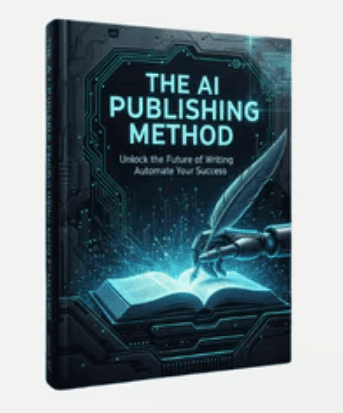
Explore Sam – The AI Offer Publishing Method + OTO, a five-module outline on search-driven niche research, AI-assisted content workflows, SEO, and scaling.
$9.99
An overview of Lanie Lately – AI Avatar Authority, covering its no-camera Instagram workflow for AI avatar photos, carousels, and short reels.
Lanie Lately – AI Avatar Authority combines beginner-oriented screen-recording training with a dedicated AI content app built to produce Instagram posts without filming on camera. Modeled around the creator's own AI persona, Lanie, the system focuses on generating consistent avatar photos, carousels, short reels, and story sequences from plain-language descriptions while keeping final publishing in the user's hands.
According to the published listing, the program is structured around getting a user from initial avatar setup to a planned week of Instagram content. Rather than presenting a detailed module-by-module syllabus, the outline highlights step-by-step screen recordings, an Instagram growth framework focused on hooks and post formats, and workflows for three core media types inside the vendor's app.
All generated assets sit in a private library and content calendar so users can organize posts across the week without starting from scratch each day.
Because the training is closely tied to the creator's proprietary AI Avatar Authority app, prospective buyers should weigh several operational details noted on the sales page. First, the app does not connect to or publish directly to Instagram; you must download the files, paste the caption, and manually switch on Instagram's AI-generated content disclosure label before posting.
Second, the vendor specifies that the platform currently specializes in short-form content and brief talking clips, with long-form talking videos listed only as a future update. Third, the vendor's direct program bundles training recordings with a 30-day app trial followed by a recurring app subscription, plus a private community with weekly challenges for women and direct-message help without video calls. Anyone evaluating a third-party listing should check which of those software, community, or support components are actually included.
This course and tool pairing fits creators or business owners who want to maintain an Instagram grid without setting up lights, filming themselves, or coordinating separate image, voice, text, and editing subscriptions. On the other hand, if you want to learn transferable prompt-writing skills for general-purpose AI software, need automated social scheduling, or rely on long-form talking videos, a standalone prompt-engineering or video-editing course may align better with your workflow.
No reviews yet.
According to the sales page, no filming or prompt engineering is required. You set up an avatar once with 5 to 15 reference photos and seven brand answers, then generate posts using one-sentence descriptions.
No. The vendor states that the app stores finished assets and captions in your library and calendar, and you download the media, copy the caption, toggle Instagram's AI label if applicable, and publish manually.
Not currently. The sales page specifies that the app focuses on short-form reels and roughly 8-second talking reels, noting that long-form talking videos are planned for a future update.
Explore Sam – The AI Offer Publishing Method + OTO, a five-module outline on search-driven niche research, AI-assisted content workflows, SEO, and scaling.
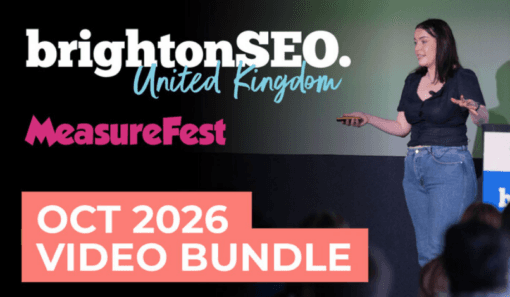
Overview of the brightonSEO & MeasureFest October 2026 Video Bundle, its 100+ advertised 20-minute conference talks, and what to check first.
Explore the Ecom University – Ad Creative Program outline covering video and static ecommerce ads, AI content, creative strategy, and practice workflows.