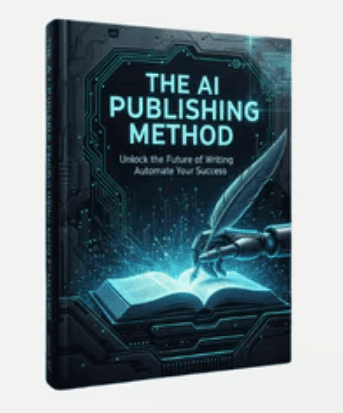
Sam – The AI Offer Publishing Method + OTO
Explore Sam – The AI Offer Publishing Method + OTO, a five-module outline on search-driven niche research, AI-assisted content workflows, SEO, and scaling.
$9.99
Explore the Ecom University – Ad Creative Program outline covering video and static ecommerce ads, AI content, creative strategy, and practice workflows.
Ecom University – Ad Creative Program is a beginner-oriented training and community curriculum created by Karlo, founder of EcomTalent, focused on producing video and static image ads for ecommerce brands. Rather than covering broad digital marketing or storefront operations, the program narrows in on ad creative—teaching learners how to turn product understanding and consumer psychology into finished visual ads while pairing lessons with practical action items.
The vendor advertises more than 30 hours of training spread across over 100 videos and eight numbered modules. Based on the published outline, the curriculum separates study habits from technical execution before moving into format-specific ad production:
One notable evidence gap in the supplied outline is granularity beyond the opening section: while Module 1 lists all eight lesson titles and durations, Modules 2 through 8 appear as module headings without itemized sub-lesson names or runtimes.
According to the vendor's requirements, learners need English reading and writing fluency plus a laptop capable of running an editing application—such as CapCut or Premiere Pro—and a design tool such as Figma. No personal camera is required in the advertised workflow because participating brands supply product footage. The vendor suggests dedicating roughly one to two hours per day during the first month to finish the core lessons and begin producing practice ads.
The program's learning loop relies on two advertised practice tracks: completing action items embedded throughout the training and submitting ads to real ecommerce brands through the Ad Bounty Program. On the vendor's sales page, action-item feedback on Discord, coaching input, Ad Bounty testing, and the internal Job Board are all hosted inside the vendor's active community platform rather than functioning as standalone recorded videos. Prospective learners reviewing this course outside the vendor's direct membership portal should verify what community or external platform access applies to their situation.
This program is structured for beginners who want step-by-step guidance starting from zero prior editing or copywriting experience, as well as existing video editors or graphic designers looking to pivot into ecommerce direct-response creative. It is less suited to readers who want an itemized technical syllabus upfront before committing, or who prefer strictly self-contained study without relying on a live Discord community for feedback and brand briefs. Comparing the eight-module focus against your preferred editing tools and need for community interaction will clarify whether this workflow matches your goals.
No reviews yet.
According to the vendor's published FAQ, no prior editing, design, or ad copywriting experience is required. The curriculum is designed to introduce those skills from scratch, though learners who already know how to edit or design can move through early technical steps faster.
The course page specifies a laptop capable of running a video editing application (citing CapCut or Premiere Pro as examples) and a design tool (such as Figma). No camera is listed as required because the advertised workflow uses footage supplied by brands.
Only Module 1 (Introduction) includes a lesson-by-lesson breakdown in the supplied outline, listing eight lessons totaling 85 minutes. Modules 2 through 8—covering marketing fundamentals, video ads, static ads, AI ads and content, creative strategy, Ad Bounty, and the Job Board—are presented by module title without individual lesson names or runtimes.
No. On the vendor's sales page, action-item critiques on Discord, brand submissions through the Ad Bounty Program, and the Job Board are described as live features hosted inside the vendor's community platform rather than self-contained video lessons.
Explore Sam – The AI Offer Publishing Method + OTO, a five-module outline on search-driven niche research, AI-assisted content workflows, SEO, and scaling.
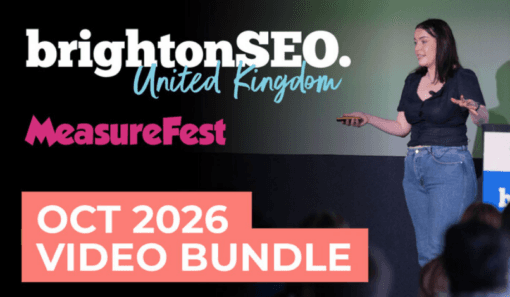
Overview of the brightonSEO & MeasureFest October 2026 Video Bundle, its 100+ advertised 20-minute conference talks, and what to check first.
Overview of The Business of Story – The ABT’s of Storytelling, a three-session course covering the And, But, Therefore framework for clear messaging.